3D Animation Film Making Course (Hindi)
About Course
3D animation course Hindi is a complete and professional training program designed to help you learn animation, VFX, and film making step by step. If you are searching for a 3D animation course online Hindi or want to learn animation from home, then this course is the perfect choice for you. It is specially designed for beginners as well as advanced learners who want to build a strong career in the animation industry.
3D Animation Course Hindi – Complete Learning Program
In this animation training program, you will start with the fundamentals of animation and gradually move towards advanced techniques used in real-world projects. You will learn essential skills such as 3D modeling, texturing, lighting, rendering, and character animation. Along with this, you will also understand VFX techniques that are used in movies, web series, and advertisements.
This course follows a structured learning approach where each topic is explained in a clear and simple manner. Even if you have no prior experience, you will be able to understand and apply the concepts step by step. The focus is on practical learning so that you can gain real skills instead of just theoretical knowledge.
Why Choose This Animation Course
If you are wondering how to learn animation Hindi, this course provides a complete step-by-step learning system. Every concept is explained in an easy-to-understand way so that beginners can learn without confusion. This program focuses on hands-on training where you will work on real-world projects and assignments to improve your skills.
One of the biggest advantages of this online animation course is flexibility. You can learn anytime and from anywhere at your own pace. This training program is suitable for students, job seekers, freelancers, and professionals who want to upgrade their skills and enter the animation field.
Skills You Will Learn
In this animation course Hindi, you will gain industry-level skills that are required to become a professional animator. These include:
- 3D modeling and texturing
- Lighting and rendering techniques
- Character animation basics
- Introduction to VFX
- Film making workflow
You will also get an introduction to popular tools like Blender and Autodesk Maya, which are widely used in the animation industry. Learning these tools will help you work on real projects and understand how professional animation is created.
Career Opportunities in Animation
The animation industry is growing rapidly in India and worldwide. After completing this course, you can explore multiple career opportunities such as working in film production, gaming, advertising, and digital content creation. Many students who complete animation training programs are now working as professional animators, video editors, and VFX artists.
You can also start freelancing and earn from home by working on animation projects. With the right skills and practice, you can build a strong portfolio and get opportunities from clients around the world. This makes animation one of the most exciting and high-demand career options today.
Film Making Training Included
This animation film making course Hindi also covers the complete production pipeline. You will learn storyboarding, scene creation, camera setup, animation workflow, and final rendering. These skills are important if you want to create your own animated videos or work in professional studios.
The course is designed to help you understand both technical and creative aspects of animation. You will not only learn how to use tools but also how to think creatively and turn your ideas into visual stories.
Internal Learning Resources
If you want to expand your skills further, you can also explore our Graphic Designing Course, VFX Course, and Video Editing Course available on our platform. These courses will help you build a complete creative skill set and increase your career opportunities in the media and entertainment industry.
External Tools Used in Animation
In this course, you will learn about industry-standard tools such as Blender and Autodesk Maya. These tools are widely used by professionals for creating high-quality animation and visual effects projects. Understanding these tools will give you an advantage when working in studios or as a freelancer.
Start Your Animation Journey Today
If you want to learn animation Hindi and build a successful career in animation and film making, then this course is the perfect starting point. With structured learning, practical training, and real-world projects, this program gives you everything you need to succeed.
Enroll now in this 3D animation course online Hindi and take the first step toward a creative and high-demand career in animation.
Course Features
- Basic To Advance Level Classes
- Theory & Practical Classes
- Daily Pre Recorded Class (Monday To Friday)
- Per Class Duration : 1 Hour (Max)
- On Demand Lessons (Only Unique Topic)
- Online Test, Exercise Files & PDF Notes
- Career Guidance And Job Assistance
- Portfolio Guidance
- WhatsApp Group Support
- Live Doubt Solving Support
Course Content
3D Animation Career Course Introduction
-
3D Animation Career Course Introduction
58:43
Pre Production
-
Class 1 – Script Writing And Concept Development (Theory Class)
00:00 -
Class 2 – Start Drawing Practise And Prospective View And Vanishing Points Basics (Theory Class)
00:00 -
Class 3 – 1 Point, 2 Point And 3 Point Perspective (Practical Class)
00:00 -
Class 4 – Charactor Concept Sketching (Part 1) (Practical Class)
00:00 -
Class 5 – Character Concept Sketching from Reference (Part 2) (Practical Class)
00:00 -
Class 6 – Character Concept Sketching from Reference (Part 3) (Practical Class)
00:00 -
Class 6 – Body Part Ratio And Draw Front, Side And Back For Production (Part 5) (Practical Class)
00:00 -
Class 6 – Facial Expressions And Extra Parts Add (Part 4) (Practical Class)
00:00 -
Class 7 – Background Concept Sketching 1 & 2 point perspective : Blocking (Part 1)
00:00 -
Class 8 – Background Concept Sketching 3 point : Blocking (Part 2)
00:00 -
Class 9 – Background Concept Sketching 3 point : Add Details (Part 3)
00:00 -
Class 10 – Props Concept Thinking And Sketching
00:00 -
Class 11 – StoryBoarding Using StoryBoard Application
00:00 -
Class 12 – Story Board Finalize With Voice Over
00:00 -
Class 13 – Sound FX (Foley Sound), BGM, And Voice over (Theory)
00:00 -
Class 14 – Costume Design & Styling for Characters
00:00 -
Class 15 – Complete Pre-Production Kit for Short 3D Film
00:00
3D Modeling And Sculpting In Blender (Production)
-
Class 1 – Introduction to Blender Interface for Modelers & Sculptors
00:00 -
Class 2 : Understanding 3D Space, Units, and Object Transformations
00:00 -
Class 3 : Mesh Editing Tools: Extrude, Inset, Loop Cut, And Bevel (Part 1)
00:00 -
Class 4 : Mesh Editing Tools: Bisect, Knife, Poly Build, Spin etc. (Part 2)
00:00 -
Class 5 : Working with Modifiers (Part 1)
00:00 -
Class 6 : Working with Modifiers (Part 2)
00:00 -
Class 7 : Hard Surface Modeling Project Gun Modeling (Part 1)
00:00 -
Class 8 : Hard Surface Modeling Project Gun Modeling (Part 2)
00:00 -
Class 9 : Hard Surface Modeling Project Gun Modeling (Part 3)
00:00 -
Class 10 : Hard Surface Modeling Project Gun Modeling (Part 4)
00:00 -
Class 11 : Hard Surface Modeling Project Gun Modeling (Part 5)
00:00 -
Class 12 : Hard Surface Modeling Project Gun Modeling (Part 6)
00:00 -
Class 13 : Hard Surface Modeling Project Gun Modeling (Part 7)
00:00 -
Class 14 : Hard Surface Modeling Project Gun Modeling (Part 8)
00:00 -
Class 15 : Hard Surface Modeling Project Gun Modeling (Part 9)
00:00 -
Class 16 : Hard Surface Modeling Project Gun Modeling (Part 10)
00:00 -
Class 17 : Hard Surface Modeling Project Gun Modeling (Part 11)
00:00 -
Class 18 : Hard Surface Modeling Project Gun Modeling (Part 12)
00:00 -
Class 19 : Hard Surface Modeling Project Gun Modeling (Part 13)
00:00 -
Class 20 : Hard Surface Modeling Project Gun Modeling (Part 14)
00:00 -
Class 21 : Hard Surface Modeling Project Gun Modeling (Part 15)
00:00 -
Class 22 : Face Options For Polygonal Modeling
00:00 -
Class 23 – Edge Options For Polygonal Modeling
00:00 -
Class 24 – Sculpting Tools (Part 1)
00:00 -
Class 25 – Sculpting Tools (Part 2)
00:00 -
Class 26 – Sculpting Tools (Part 3)
00:00 -
Class 27 – Project : Old Realistic Character Sculpting (Part 1)
00:00 -
Class 28 – Project : Old Realistic Character Sculpting (Part 2)
00:00 -
Class 29 – Project : Old Realistic Character Sculpting (Part 3)
00:00 -
Class 31 – Project : Old Realistic Character Sculpting (Part 4)
00:00 -
Class 32 – Project : Old Realistic Character Sculpting (Part 5)
00:00 -
Class 33 – Project : Old Realistic Character Sculpting (Part 6)
00:00 -
Class 34 – Project : Old Realistic Character Sculpting (Part 7)
00:00 -
Class 35 : Project : Old Realistic Character Sculpting (Part 8)
00:00 -
Class 36 : Project : Old Realistic Character Sculpting (Part 9)
00:00 -
Class 37 : Project : Old Realistic Character Sculpting (Part 10)
00:00 -
Class 38 : Project : Old Realistic Character Sculpting (Part 11)
00:00 -
Class 39 : Project : Old Realistic Character Sculpting (Part 12)
00:00 -
Class 40 : Project : Old Realistic Character Sculpting (Part 13)
00:00 -
Class 41 : Project : Old Realistic Character Sculpting (Part 14)
00:00 -
Class 42 : Project : Old Realistic Character Sculpting (Part 15)
00:00 -
Class 43 : Project : Old Realistic Character Sculpting (Part 16)
00:00 -
Class 44 : Project : Old Realistic Character Sculpting (Part 17)
00:00 -
Class 45 : Project : Old Realistic Character Sculpting (Part 18)
00:00 -
Class 46 : Project : Old Realistic Character Sculpting (Part 19)
00:00 -
Class 47 : Project : Old Realistic Character Sculpting (Part 20)
00:00 -
Project : 3D Environment Modeling (Exterior)
-
Project : 3D Environment Modeling (Interior)
-
Basic Of Geometry Nodes
-
Project : Create Stunning Art With Geometry Nodes
Texuring And Shading in Blender (Production)
-
Class 1 – Introduction to Texturing & Shading in Blender for Animation
-
Class 2 – Understanding the Shader Editor & Material Slots
-
Class 3 – Principled BSDF Shader Overview: PBR Workflow for Animation
-
Class 4 – UV Mapping Basics: Unwrapping, Seams, Islands, and Packing
-
Class 5 – Working with Multiple UV Channels for Advanced Textures
-
Class 6 – Importing and Applying Image Textures (Color, Roughness, Bump)
-
Class 7 – Using Texture Painting for Hand-Painted Stylization
-
Class 8 – Understanding Node-Based Material Construction
-
Class 9 – Procedural Textures: Noise, Musgrave, Voronoi, Color Ramps
-
Class 10 – Creating Basic Materials: Metal, Glass, Fabric, Skin, Wood
-
Class 11 – Working with Subsurface Scattering for Skin & Organic Materials
-
Class 12 – Creating Texture Atlases and Managing Texture Sizes for Film
-
Class 13 – Viewport Display vs Render Preview: Eevee & Cycles
-
Class 14 – Advanced Procedural Shading for Stylized and Semi-Realistic Looks
-
Class 15 – Layered Materials Using Mix & Add Shaders
-
Class 16 – Using Texture Masks for Dirt, Edge Wear & Damage
-
Class 17 – Realistic Skin Shader: Subsurface Maps, Gloss Zones, Micro Bumps
-
Class 18 – Clothing & Fabric Shading: Stitch Details, Woven Patterns
-
Class 19 – Creating Hero Prop Textures with Hand-Painted & PBR Techniques
-
Class 20 – Texture Painting Advanced: Masking, Layers & Brushes
-
Class 21 – Using Object, Generated & UV Mapping Coordinates
-
Class 22 – Baking Textures: AO, Normal, Cavity, and Custom Maps
-
Class 23 – Creating Animated Textures & Shader Effects for Magic, Glow, etc.
-
Class 24 – Building Reusable Node Groups & Material Libraries
-
Class 25 – Shading Environments: Grounds, Rocks, Trees, Walls
-
Class 26 – Lighting + Shading Integration for Final Look Development
-
Class 27 – Project 1: Stylized Character Texture with Subsurface Skin Shader
-
Class 28 – Project 2: Hand-Painted Prop or Costume Shader Network
-
Class 29 – Project 3: Fully Textured Environment Scene for an Animation Shot
-
Class 30 – Final Look Dev: Render Layer Setup & Shader Polish in Cycles
Rigging in Blender (Production)
-
Class 1 – Introduction to Rigging for Animation Film Production
-
Class 2 – Overview of Blender’s Rigging Tools & Armature System
-
Class 3 – Creating Bones, Parenting, Naming, and Bone Layers
-
Class 4 – Forward Kinematics (FK) vs Inverse Kinematics (IK) Basics
-
Class 5 – Weight Painting Fundamentals: Assigning and Adjusting Deformations
-
Class 6 – Bone Constraints: IK, Copy Rotation, Limit Rotation
-
Class 7 – Creating Simple Rigs for Props and Non-Character Assets
-
Class 8 – Symmetrical Rig Creation & Mirror Bone Setup
-
Class 9 – Testing Rig Deformation: Stretching, Bending & Twisting
-
Class 10 – Using Shape Keys for Facial Deformations (Smiles, Blinks, etc.)
-
Class 11 – Pose Mode Essentials: Resetting, Keying, and Posing Bones
-
Class 12 – Understanding Animation-Friendly Topology Before Rigging
-
Class 13 – Creating a Full Biped Character Rig from Scratch
-
Class 14 – Advanced IK/FK Rig with Blending for Arms & Legs
-
Class 15 – Spine Rigging: FK Spine, IK Spine & Stretchy Spine Setup
-
Class 16 – Foot Roll, Toe Tap & Heel Pivot Setup for Walk Cycles
-
Class 17 – Hand Rig with Finger Curl Controls and Local Rotation Axes
-
Class 18 – Facial Rigging Techniques: Shape Keys vs Bone-Based Facial Controls
-
Class 19 – Custom Bone Shapes & Interface Controls for Animators
-
Class 20 – Creating Rig UI Panels (Rig Layer Switches, Sliders, Custom Props)
-
Class 21 – Using Drivers for Automated Facial Expressions & Eye Blinks
-
Class 22 – Rigging Cloth, Hair and Accessories with Follow & Secondary Motion Bones
-
Class 23 – Modular Rigging: Using Rigify and Custom Meta-Rigs
-
Class 24 – Non-Humanoid Rigging: Creatures, Quadrupeds, Robots
-
Class 25 – Scripting and Automation for Rig Reuse & Scaling
-
Class 26 – Corrective Shape Keys for Muscle Flex & Joint Bending
-
Class 27 – Project 1: Full Character Body Rig with IK/FK + Facial Controls
-
Class 28 – Project 2: Creature Rig with Tail, Wings or Extra Limbs
-
Class 29 – Project 3: Prop or Set Element Rig (e.g., Mechanical Door, Vehicle)
-
Class 30 – Final Rig Review, Cleanup, Grouping, and Export for Animation Team
Animation in Blender (Production)
-
Class 1 – Introduction to Blender for 3D Animation Film Production
-
Class 2 – Blender Interface for Animators: Timeline, Dope Sheet, Graph Editor
-
Class 3 – Working in Pose Mode & Keyframing Basics (Loc/Rot/Scale)
-
Class 4 – The 12 Principles of Animation Applied to 3D Films
-
Class 5 – Blocking Pass: Planning Animation Using Key Poses
-
Class 6 – Understanding Timing & Spacing in Posed Animation
-
Class 7 – Interpolation Types: Constant, Linear, Bezier Explained
-
Class 8 – Using the Graph Editor for Curve Smoothing & Overlaps
-
Class 9 – Working with the Dope Sheet, Action Editor & NLA (Non-Linear Animation)
-
Class 10 – Creating a Simple Bouncing Ball Animation with Overlap & Squash-Stretch
-
Class 11 – Animating a Pendulum for Swing & Follow-Through Practice
-
Class 12 – Animating Simple Objects & Cameras for Short Film Scenes
-
Class 13 – Planning Your Animation Shot: Thumbnails & Reference
-
Class 14 – Body Mechanics: Walk Cycle, Run, Jump, Push & Pull
-
Class 15 – Advanced Acting Animation: Emotional Poses & Gestures
-
Class 16 – Facial Animation Techniques: Shape Keys vs Bone Rigs
-
Class 17 – Lip Syncing Dialogue to Audio: Mouth Shapes & Timing
-
Class 18 – Animating Eyes, Brows, and Facial Nuance for Believable Acting
-
Class 19 – Animating Idle Loops, Secondary Actions & Subtle Movements
-
Class 20 – Using Constraints for Camera-Aware Animation
-
Class 21 – Cinematic Shot Composition: Staging, Focus & Movement
-
Class 22 – Polishing Pass: Smoothing Curves, Breathing Life into Poses
-
Class 23 – Scene-Based Workflow: Animating Multi-Character Dialogues
-
Class 24 – Action Animation: Sword Swings, Falls, Chases, Reactions
-
Class 25 – Animating Props & Interactions (Grabs, Pickups, Usage)
-
Class 26 – Project 1: Acting Shot with Lip Sync (Dialogue Monologue)
-
Class 27 – Project 2: Action Performance (Jump + Land + React)
-
Class 28 – Project 3: Two-Character Emotional Dialogue Scene
-
Class 29 – Final Scene Assembly with Camera Cuts, Timing, and Render Setup
-
Class 30 – Exporting Animation for Render & Showreel Presentation
FX And Dynamics in Blender (Production)
-
Class 1 – Introduction to FX & Simulation in Blender for Animation Films
-
Class 2 – Overview of Blender’s Dynamics Systems: Smoke, Fire, Fluids, Cloth, Particles
-
Class 3 – Understanding Blender’s Physics Tabs: Force Fields, Colliders, Domains
-
Class 4 – Rigid Body Basics: Falling Objects, Collisions, Fractures
-
Class 5 – Soft Body Basics: Jelly, Cushions, Organic Deformations
-
Class 6 – Cloth Simulation: Capes, Curtains, Flags & Clothing Setup
-
Class 7 – Pinning Cloth to Bones or Empties for Controlled Motion
-
Class 8 – Fluid Simulation Basics: Splashes, Pours, and Water Trails
-
Class 9 – Smoke & Fire Simulation Setup (Using Mantaflow Engine)
-
Class 10 – Baking Simulations: Cache Types, Resolution & Troubleshooting
-
Class 11 – Using Force Fields (Wind, Vortex, Turbulence) for Natural Effects
-
Class 12 – Working with Particle Systems: Sprays, Debris, Magic Effects
-
Class 13 – Advanced Rigid Body Dynamics: Explosions, Collapsing Buildings
-
Class 14 – Fracture Modifier Workflow for Destruction FX
-
Class 15 – Creating Dust Trails, Impact FX & Debris Emission
-
Class 16 – Combining Smoke with Fire & Sparks for Cinematic Sequences
-
Class 17 – Water FX for Animation: Drips, Ripples, Streams
-
Class 18 – Simulating Rain, Snow, Fog & Weather Conditions
-
Class 19 – Hair & Fur Dynamics with Wind and Collision
-
Class 20 – Creating Stylized FX: Cartoon Smoke, Fire, Magic Beams
-
Class 21 – Using Grease Pencil for 2D FX Integration in 3D Scenes
-
Class 22 – Geometry Nodes for FX: Procedural Growth, Bubbles, Dissolve
-
Class 23 – Cloth on Characters: Scarves, Skirts, Flying Elements
-
Class 24 – FX Layering in Multishot Scenes with Camera Transitions
-
Class 25 – Project 1: Destruction Scene (Wall Break + Dust + Debris)
-
Class 26 – Project 2: Magic FX for Character (Spell + Energy Trails)
-
Class 27 – Project 3: Environmental FX (Rain + Splash + Fog Scene)
-
Class 28 – Final FX Polish: Lighting, Motion Blur & Compositing Preview
Lighting And Rendering in Blender (Production)
-
Class 1 – Introduction to Lighting & Rendering for 3D Animated Films
-
Class 2 – Overview of Render Engines: Eevee vs Cycles for Film Production
-
Class 3 – Understanding Blender’s Light Types: Point, Spot, Sun, Area, and HDRI
-
Class 4 – Three-Point Lighting System for Character & Dialogue Shots
-
Class 5 – Shadow Types & Adjustments for Storytelling Lighting
-
Class 6 – Using HDRI Environments for Natural & Stylized Ambient Light
-
Class 7 – Light Settings: Color Temperature, Intensity, Radius, Samples
-
Class 8 – Working with Emission Shaders & Glow Effects
-
Class 9 – Creating Mood: Color Theory & Emotional Lighting Setup
-
Class 10 – Camera Settings & Exposure for Animation Scenes
-
Class 11 – Render Properties Setup: Sampling, Denoising & Motion Blur
-
Class 12 – Eevee vs Cycles: Pros, Cons, and Use Case in Film Workflows
-
Class 13 – Lighting for Dialogue & Character Performance Scenes
-
Class 14 – Outdoor Lighting: Daylight, Sunset, Night, Foggy Environments
-
Class 15 – Indoor Lighting: Lamps, Windows, Practical Lights, Rim Lights
-
Class 16 – Dramatic Lighting: Horror, Sci-Fi, Fantasy, Noir Styles
-
Class 17 – Volumetric Lighting: Dust, Fog, Light Shafts & Atmosphere
-
Class 18 – Animating Lights for Flicker, Lightning, Fire & Mood Shifts
-
Class 19 – Render Passes: Diffuse, Specular, Shadows, Emission, AO
-
Class 20 – Light Linking & Collections for Shot-Specific Lighting
-
Class 21 – Compositing Preview Setup in Blender for Lighting Evaluation
-
Class 22 – Render Optimization for Animation (Speed vs Quality)
-
Class 23 – Using Light Path Node for Advanced Material-Based Lighting
-
Class 24 – Look Development Workflow: Material + Light Matching
-
Class 25 – Project 1: Indoor Cinematic Dialogue Lighting (Warm/Cool Mood)
-
Class 26 – Project 2: Outdoor Environmental Lighting (Natural to Stylized)
-
Class 27 – Project 3: FX-Driven Scene Lighting (Fire, Magic, Volumes)
-
Class 28 – Final Shot Rendering with Camera Cuts & Sequence Output
Blender Compositing in Blender (Post Production)
-
Class 1 – Introduction to Compositing in Blender for 3D Films
-
Class 2 – Understanding the Blender Compositor: Layout, Viewer Node, Workflow
-
Class 3 – Render Passes Explained: Diffuse, Specular, AO, Emission, Shadow, Z-Depth
-
Class 4 – Setting Up Compositing Nodes in Blender (Render Layers & Image Sequences)
-
Class 5 – Using Alpha Over, Mix, Add, and Color Correction Nodes
-
Class 6 – Combining Multiple Render Passes for Final Look
-
Class 7 – Depth of Field & Z-Depth for Focus Control
-
Class 8 – Color Balance, Exposure, Brightness, Contrast Nodes
-
Class 9 – Blur, Glare, Glow, and Bloom Effects for Lighting Polish
-
Class 10 – Using Reroute, Frames & Node Organization for Clean Workflows
-
Class 11 – Masking & Rotoscoping in Blender’s Compositor
-
Class 12 – Working with PNG/EXR Sequences & Animation Shot Pipelines
-
Class 13 – Multi-Shot Compositing with Render Layers & View Layers
-
Class 14 – Color Grading for Animation Films (Warm/Cool, Stylized Looks)
-
Class 15 – Using LUTs and Color Wheels for Film-Like Grading
-
Class 16 – Lens Distortion, Vignettes, and Chromatic Aberration for Realism
-
Class 17 – Light Wrap and Glow Effects for FX-Based Shots
-
Class 18 – Adding Fog, Mist, and Atmosphere in Post
-
Class 19 – Compositing Fire, Magic, Rain, or Explosions into Animation Scenes
-
Class 20 – Advanced Glare, Starburst & God Rays Using Node-Based Effects
-
Class 21 – Animation-Specific Shot Matching Across Scene Cuts
-
Class 22 – Noise Reduction, Sharpening, and Final Image Cleanup
-
Class 23 – Compositing UI/FX for 2D Elements in 3D Renders
-
Class 24 – Multipass EXR Workflow with External Render Engines (Cycles, Eevee)
-
Class 25 – Project 1: Character Close-Up Shot with Stylized Glow & Grading
-
Class 26 – Project 2: VFX Shot with Fire, Light Wrap, and Compositing Polish
-
Class 27 – Project 3: Full Scene Finalization with Atmosphere & Graded Pass
-
Class 28 – Render Output Settings: Image Sequences, Video & Final Delivery
Adobe Audition
-
Class 1 – Introduction to Audio Post-Production in Animation
-
Class 2 – Adobe Audition Interface Overview: Waveform & Multitrack Modes
-
Class 3 – Importing Dialogue, Foley, and Music Files into the Project
-
Class 4 – Basic Editing: Trim, Cut, Fade, Crossfade, and Split Clips
-
Class 5 – Cleaning Dialogue: Remove Noise, Clicks, Pops with Effects Rack
-
Class 6 – Using Spectral Display to Visually Repair Audio
-
Class 7 – Normalizing, Equalizing & Balancing Volume for Clear Voice Output
-
Class 8 – Applying Reverb & Delay for Environment Matching
-
Class 9 – Organizing Tracks: Dialogue, Music, Ambience, SFX Channels
-
Class 10 – Basic Mixing Techniques for Short Dialogue Scenes
-
Class 11 – Exporting Audio Mixdowns for Animation Preview and Sync
-
Class 12 – Multi-Track Session Setup for Complete Film Scenes
-
Class 13 – Voice Cleanup & Enhancement: DeEsser, Dynamics, EQ Curve Matching
-
Class 14 – Syncing Dialogue to Lip-Synced Animation Shots
-
Class 15 – Foley Design: Walking, Cloth, Grabs, Impacts – Recording & Placement
-
Class 16 – Ambience & Environment Building: Indoor, Outdoor, Fantasy Worlds
-
Class 17 – Sound FX Layering: Magic, Machines, Weather, Vehicles, etc.
-
Class 18 – Working with Royalty-Free Music, Loops & Transitions
-
Class 19 – Score Balancing: Music Leveling with Dialogue Priority
-
Class 20 – Surround Sound and Stereo Mixing for Immersive Experience
-
Class 21 – Voiceover Effects: Megaphone, Radio, Underwater, Ghost, etc.
-
Class 22 – Automation Keyframes for Volume, Pan & Effect Transitions
-
Class 23 – Soundtrack Timing for Action Scenes & Dramatic Beats
-
Class 24 – Project 1: Scene with Cleaned Dialogue + Simple Ambience
-
Class 25 – Project 2: Full Shot Mix – Foley + FX + Music + Voice
-
Class 26 – Project 3: Final Film Scene Mastering for Delivery
-
Class 27 – Final Export Settings: WAV, MP3, Multichannel & Sync for Video Editing
Adobe Photoshop
-
Class 1 – Introduction to Photoshop for 3D Animation Pipelines
-
Class 2 – Photoshop Interface, Tools, Panels & Workspace Setup
-
Class 3 – Document Settings for Storyboards, Textures & Concept Art
-
Class 4 – Selection Tools: Marquee, Lasso, Magic Wand, Quick Select
-
Class 5 – Brush Tools for Sketching, Painting & Shading
-
Class 6 – Layers, Layer Masks & Blending Modes for Compositing
-
Class 7 – Using Guides, Grids, and Perspective Tools for Layouts
-
Class 8 – Creating Character Turnarounds & Expression Sheets
-
Class 9 – Digital Painting Basics: Light, Shadow, Color Blends
-
Class 10 – Organizing Project Files: Folders, Naming, Exporting for Production
-
Class 11 – Saving Files for Texture Work (PNG, TIFF, PSD Linked Layers)
-
Class 12 – Intro to Tablet Workflow for Better Brush Control
-
Class 13 – Concept Art Painting: Characters, Creatures & Props
-
Class 14 – Environment Painting for Backgrounds and Set Design
-
Class 15 – Matte Painting Techniques for Static/Moving Backgrounds
-
Class 16 – Texture Painting for 3D Models (Diffuse, Roughness, Specular)
-
Class 17 – Creating Hand-Painted Textures for Stylized 3D Films
-
Class 18 – Photo Bash Techniques: Realism in Concept Design
-
Class 19 – Line Art to Final Render Process for Production Approval
-
Class 20 – Designing Title Art, Posters, and Visual Assets for Film Branding
-
Class 21 – Using Photoshop for Color Scripts & Visual Mood Boards
-
Class 22 – Fixing Render Passes: Overpaint, Cleanup, Enhancement
-
Class 23 – Creating Propsheets & Blueprints for Modeling Department
-
Class 24 – Scene Paintovers: Improving Layout, Framing & Depth
-
Class 25 – Storyboarding Techniques: Panels, Arrows, Camera Angles
-
Class 26 – Project 1: Character Concept Sheet for 3D Modeler
-
Class 27 – Project 2: Environment Key Art + Matte Elements
-
Class 28 – Project 3: Complete Texture Sheet for 3D Asset
-
Class 29 – Final Portfolio Export: Layered Files + Presentation Boards
Adobe After Effects
-
Class 1 – Introduction to After Effects for 3D Animation Films
-
Class 2 – Understanding the Interface: Timeline, Project, Comp, and Preview Panels
-
Class 3 – Working with Layers: Footage, Solids, Text, Shape, Nulls
-
Class 4 – Importing Image Sequences & EXR Files from Blender/Maya
-
Class 5 – Basic Keyframing: Position, Scale, Rotation, Opacity
-
Class 6 – Using the Graph Editor for Smooth Animations
-
Class 7 – Pre-Compositions and Timeline Organization Techniques
-
Class 8 – Adding Texts & Lower Thirds for Credits and Titles
-
Class 9 – Applying Basic Effects: Blur, Glow, Color Correction, Noise
-
Class 10 – Green Screen Removal & Compositing with Keylight 1.2
-
Class 11 – Using Track Mattes, Masks, and Blending Modes
-
Class 12 – Exporting Animations & Film Shots in Multiple Formats
-
Class 13 – Compositing Render Passes: AO, Shadows, Emission, Light Wraps
-
Class 14 – Color Grading & Look Development with Lumetri Color Panel
-
Class 15 – Working with 3D Cameras, Lights, and Parallax Backgrounds
-
Class 16 – Depth of Field, Lens Blur & Z-Depth FX from EXR Renders
-
Class 17 – Advanced Motion Tracking: 2D & 3D Tracking Techniques
-
Class 18 – Adding Particles, Fire, Smoke, Magic FX with Trapcode & Built-in Tools
-
Class 19 – Cinematic Camera Effects: Shake, Zoom, Dolly, Rack Focus
-
Class 20 – VFX Enhancements: Light Rays, Lightning, Glows & Energy
-
Class 21 – Animating Graphics for HUDs, Interfaces, and Fantasy Elements
-
Class 22 – Creating End Credits Roll, Studio Tags, and Film Titles
-
Class 23 – Audio Sync, Waveform Display & Music-Driven FX
-
Class 24 – Scene Transitions & Shot Linking in Final Edits
-
Class 25 – Project 1: FX-Enhanced Dialogue Shot (Glow, Camera FX, Grading)
-
Class 26 – Project 2: Magical Explosion or Elemental VFX Composite
-
Class 27 – Project 3: Full Scene Assembly with Titles, Music & Motion FX
-
Class 28 – Final Export: H.264, ProRes, Image Sequence & Delivery Formats
Adobe Premiere Pro
-
Class 1 – Introduction to Premiere Pro for Animation Editing
-
Class 2 – User Interface & Workspace Setup for Animation Workflows
-
Class 3 – Importing Image Sequences, Renders, and Audio Files
-
Class 4 – Timeline Basics: Tracks, Tools, Navigation, Zooming
-
Class 5 – Creating a New Sequence: Settings for 2K/4K Animation Film
-
Class 6 – Editing Tools: Razor, Ripple, Slip, Slide, Roll, and Track Select
-
Class 7 – Cutting and Assembling Shots in Sequence Timeline
-
Class 8 – Adding and Syncing Dialogue, Sound Effects & Background Score
-
Class 9 – Adding Titles, Subtitles, and Character Name Captions
-
Class 10 – Basic Transitions and Crossfades Between Shots
-
Class 11 – Adding Black Frames, Slates, and Scene Cards
-
Class 12 – Exporting Animatic or Preview Clips for Director Review
-
Class 13 – Advanced Multi-Shot Editing: Scene-Based Workflow
-
Class 14 – Using Markers, Labels, and Track Organization Techniques
-
Class 15 – J-Cuts and L-Cuts for Natural Dialogue Flow
-
Class 16 – Pacing Techniques for Comedy, Action, and Drama
-
Class 17 – Color Grading & Correction with Lumetri Panel
-
Class 18 – Creating and Using Adjustment Layers for Global FX
-
Class 19 – Adding Visual Effects: Flash Cuts, Light Flickers, Shock Transitions
-
Class 20 – Working with Soundtrack: Mixing Levels, Keyframes, and Fade Outs
-
Class 21 – Linking Audio Edits from Adobe Audition Projects
-
Class 22 – Editing Credits Roll, Film Title, and Studio Logo Intros
-
Class 23 – Final Master Review: Checking Resolution, Timing, and Export Settings
-
Class 24 – Exporting for Theatrical, OTT, YouTube, and Festival Formats
-
Class 25 – Project 1: Assembling a Short Animation Scene (with Audio)
-
Class 26 – Project 2: Creating a Film Teaser/Trailer from Rendered Shots
-
Class 27 – Project 3: Editing a Complete Short Film with Titles & Audio Mix
-
Class 28 – Final Delivery: Render Queue Management and Quality Assurance
Porfolio Preparation
-
Class 1
-
Class 2
Final Test
-
Final Test
Career Guidance And Job Assistance
-
Class 1
-
Class 2
Give Us Your Feedback And Suggestions
-
Give Us Your Feedback And Suggestions
On Demand Lessons
Software & Industry Updates
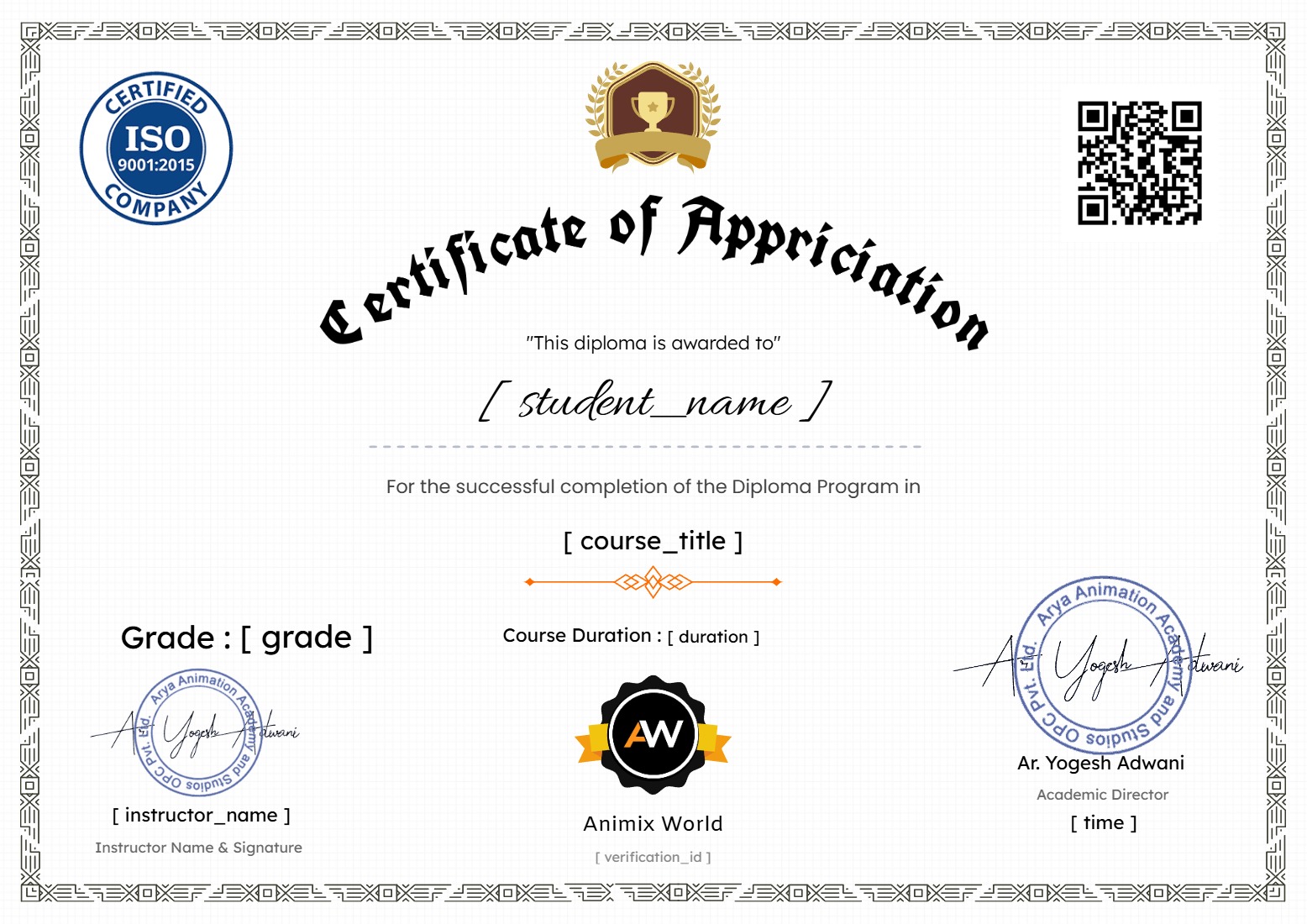
Earn a certificate
Add this certificate to your resume to demonstrate your skills & increase your chances of getting noticed.